


For MSPs and Microsoft CSP partners

Protect and grow your Azure book.

Cover the Azure customers your team cannot review every month. Our engineer checks the findings; your team approves and sends the pack under your brand.

Run by us. Sent by you.

Free pilot: two or three customers, two monthly cycles. We agree pass criteria before access.

Cannot change workloads or configuration · Your customer controls access · We never take a share of savings

How it works, 0:55

How a pilot works

Two monthly cycles on two or three customers.

Pick customers your team cannot review reliably every month. You set the customer price; we propose a per-customer wholesale price.

  1. Your team

    Choose two or three customers

    Ones you want to keep, grow or cover for the first time.

  2. Your customer's approvers

    Grant access

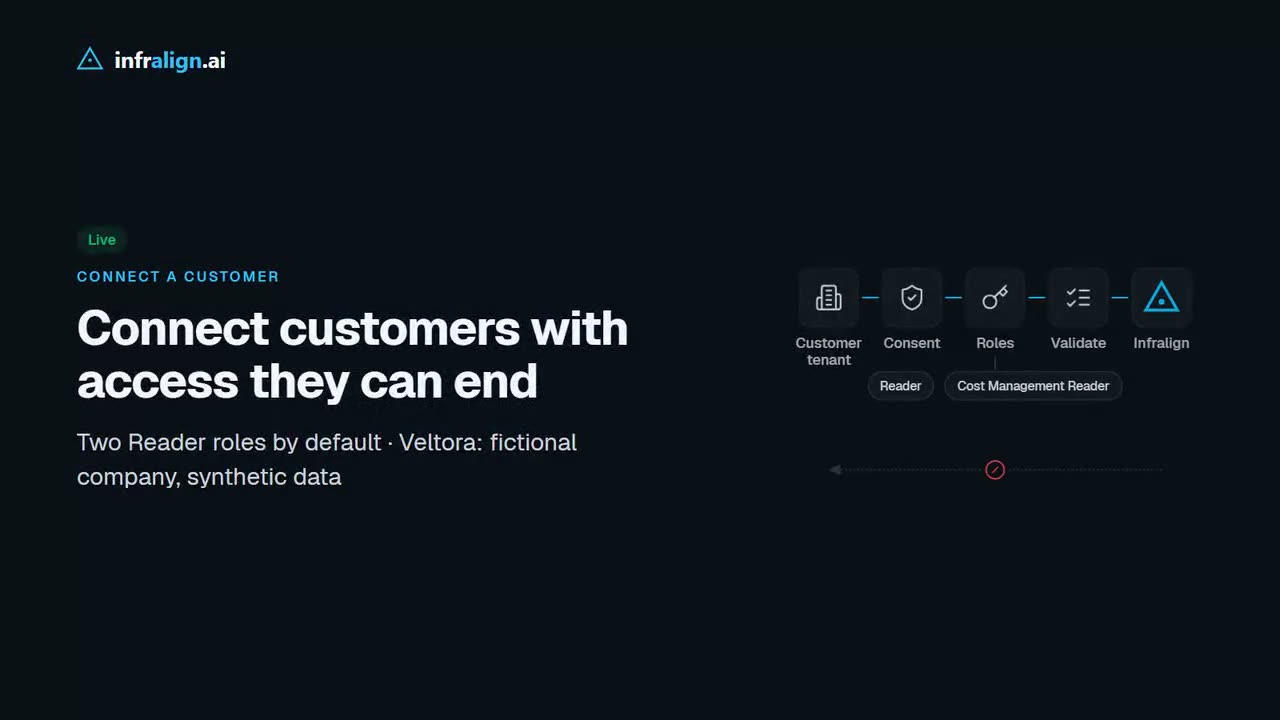
    A tenant admin approves consent; an Azure role assigner grants Reader and Cost Management Reader.

  3. Infralign

    Analyse and check

    Every month: what moved and why. Our engineer records each finding as accepted, amended or held back.

  4. Your account manager

    Approve and send

    The customer pack holds approved findings only and goes out under your brand.

What your customer receives

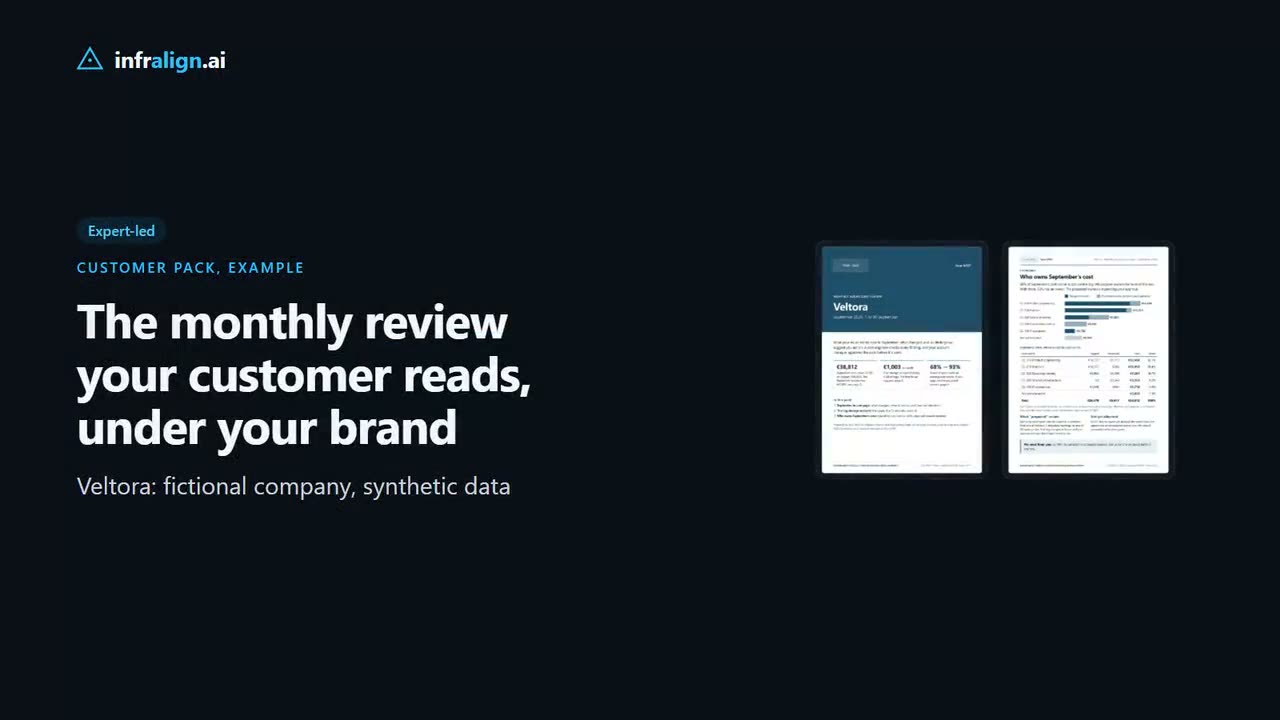
Sample customer pack cover under the placeholder brand Your MSP: Monthly Azure cost review, Veltora, September 2026. Three figures: September cost €38,812, down 22.8% on August; a log storage account at €1,003 a month; cost-centre coverage 68% to 93% if proposed owners are approved. Footer: Example pack. Veltora is a fictional company; data is synthetic. Sample customer pack, finding 1 of 6: a 3 GB log account costs €1,003 a month, marked Open. Writes €650 and copying to a second region €353; proposed next steps to about €325 and then about €10 a month, estimates at list prices; owner, proposed dates and what is needed from the customer. Footer: Example pack. Veltora is a fictional company; data is synthetic.
Example customer pack, synthetic data. Prepared by our engineer; approved findings only.

The customer pack carries your brand and no Infralign marks. The platform app, the monthly brief and your customer's consent screen carry Infralign's name today; branded dashboards are on the roadmap.

Use this example with your sales team. Your pilot pack covers your own customer.

Watch: the monthly customer review you sell, 0:50

For your engineers: access and exit

Reader and Cost Management Reader, granted at the scope you agree, cannot change workloads or configuration. Setup uses your customer's own admin consent and role assignments, not your GDAP relationship. Azure Lighthouse is on the roadmap. Roadmap

Your customer stops new reads by removing every Infralign role; disabling the app also ends sign-in.

Roles, exit and what your engineers arrange

Consent needs a Global Administrator, Privileged Role Administrator or Cloud Application Administrator in your customer's tenant. The roles need someone with Owner or User Access Administrator at the scope you agree.

Two Azure built-in roles for the default connection, Reader and Cost Management Reader; an optional FOCUS export adds Storage Blob Data Reader. None of them can change workloads or configuration.

Nothing is installed.

To end it, remove every Infralign role to stop new data reads, and disable the Infralign app to end sign-in as well. Data already collected is deleted on request, within 30 days under the DPA.

Cost Management Reader also includes Microsoft.Support/*, which can create and update Azure support tickets (Microsoft's built-in roles (opens in a new tab)). Infralign does not use it.

What your engineers arrange

  • Get the Infralign setup link from us.
  • Name the customer's tenant admin and Azure role assigner.
  • Agree the scope: a management group or specific subscriptions.
  • Allow up to ten minutes for role assignments to take effect before validation.
  • Confirm the subscriptions in the wizard. Subscriptions created later are not picked up automatically; an admin selects them.

Not in the pilot yet:

  • One console across all customers Roadmap
  • Branded dashboards: the app and monthly brief carry Infralign's brand today Roadmap
  • Automatic alerts Roadmap

After cycle two, you decide go or no-go against pass criteria we agree before any access.

The handoff

Our engineer's review record, then the pack you send.

Each month the platform writes a brief on what moved and why. Our engineer reviews the findings and records a decision on each. Your team sees that record; your customer sees only the pack you approve.

See how we prepare it: the monthly brief and the review record
  1. Month-on-month analysis

    Live
    app-demo.infralign.ai
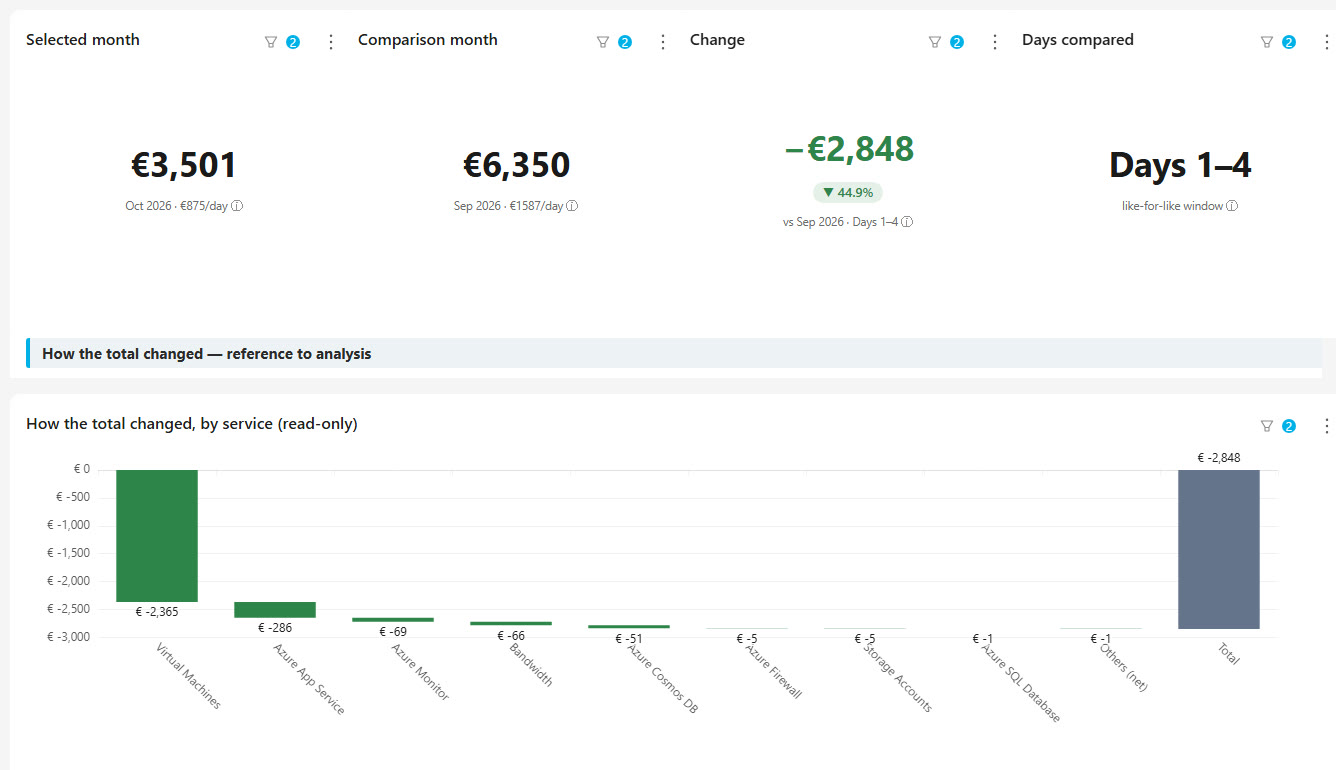
    Veltora MoM Change Analysis dashboard in the live demo: October days 1 to 4 against the same days of September, a waterfall of the change by service. Veltora is fictional and its data is synthetic.

    Cost movements against last month, like for like, by service and resource.

  2. The engineer's review record

    Expert-led

    For the partner's team. Not for the customer.

    FindingDecision
    Log storage account, €1,003 a monthMeters confirm the cause: writes and copying to a second region. Accepted
    Production app servers, one size down€903 → €874 a month: the OS disks keep their size. Amended
    Stage and dev machines at production sizesLow confidence; re-measure on October data. Held back

    Reviewed by: Infralign engineer · 8 October 2026 · September 2026 pack

    For your team. Your customer does not see this page.

  1. The customer pack

    Expert-led

    Approved findings only, under your brand. No Infralign marks on the pack.

    View the sample pack (PDF)
From the live demo and the engineer's sample. Veltora: fictional company, synthetic data.

Four plays

Four plays for your Azure practice.

Use the monthly review to retain customers, approach prospects, find project work and open Fabric conversations. The examples are from the real product on Veltora, a fictional company with synthetic data.

Add value to your current customers

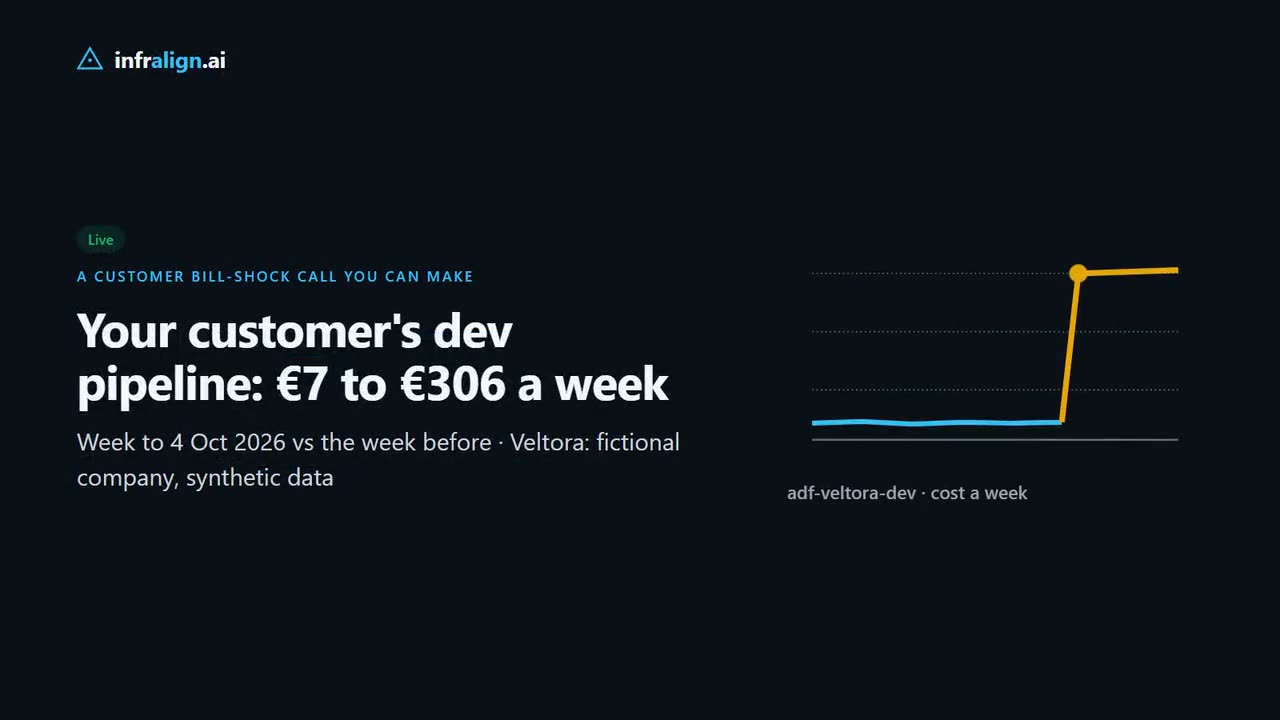
When the monthly analysis shows a cost jump, your account manager has its cause, a proposed next step and a reason to call.

You sell: A monthly review inside your managed service.

Live analysis · Expert-led check
Sell the monthly customer review

Show each customer who owns their spend and what changed, in a pack your account manager presents.

You sell: A monthly showback review your account manager can present and price.

Showback Live · pack Expert-led

Two more ways to sell it

Displace the incumbent

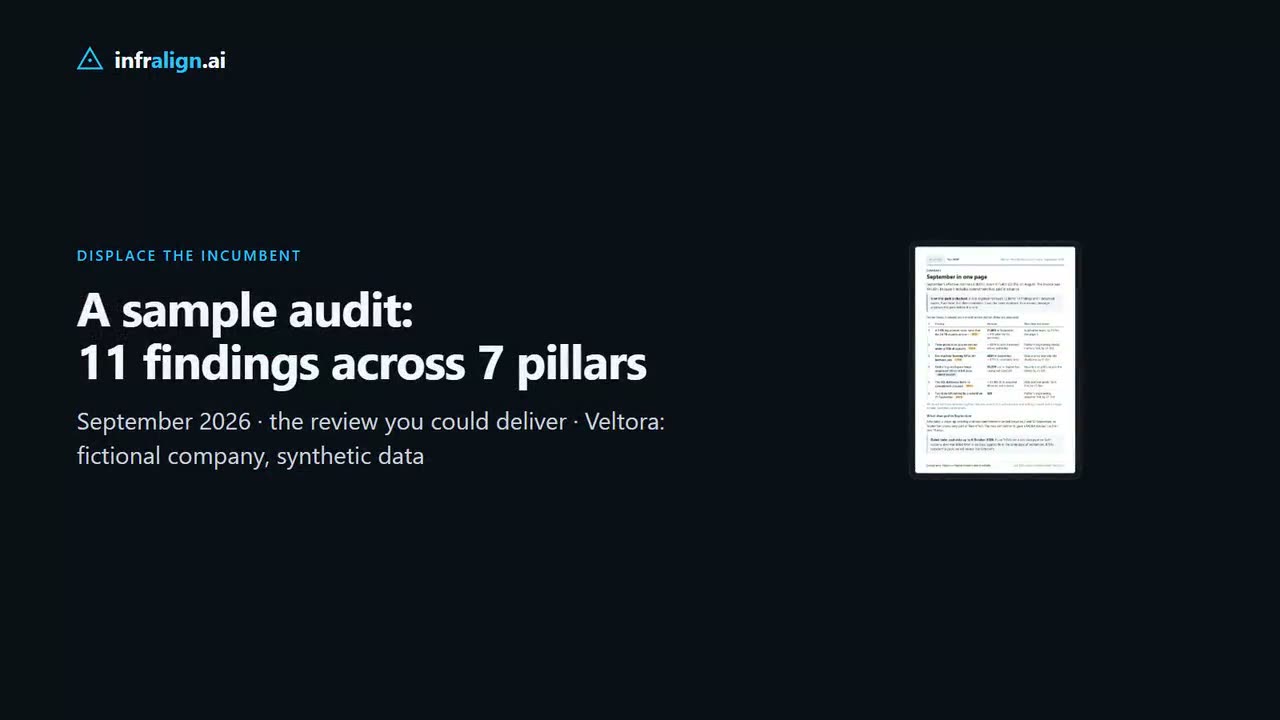
Show a prospect the review you could deliver, on our demo estate. For their own Azure, their admin grants access first, then our engineer checks the findings before you send a pack under your brand.

You sell: A reason to start the Azure conversation.

Live report · Expert-led review

Open a Fabric or AI conversation

If your customer acts on an approved finding, your team and your Fabric or delivery partner can discuss where to invest next. Any Microsoft co-registration stays in your existing partner process.

You sell: Fabric builds, AI pilots, data modernisation.

Expert-led

And quote the fix projects

Expert-led

Findings that need engineering become work your team scopes and quotes. Example: a 3 GB log account costing €1,003 a month in writes and replication, not storage. Veltora: fictional company, synthetic data.

Engineer-checked findings, approved by your team

Where we fit

Keep FinOps hub and your Fabric partner. Add review capacity.

For customers in the agreed scope, we prepare monthly findings for your approval. Your FinOps hub and Fabric partner keep their roles.

What you keep

FinOps hub for exports and starter reports, in your Azure. Your Fabric partner for the Fabric work. Your billing platform issues the customer invoice; we explain the Azure cost movements behind it.

What Infralign adds

  • A connection per customer that reads cost and resource data
  • Monthly analysis our engineer checks before it enters the customer pack
  • Showback (Live) and a customer pack under your brand (Expert-led)
  • Azure only, including CSP-billed estates and amortised commitments

What your team still does

Choose the customers, review the checked findings, send the pack and quote the work.

Questions it answers for your account managers

“Who reviews our smaller accounts?”
Smaller connected accounts get monthly analysis and an engineer check, even when your team cannot run a full review. We agree the scope and turnaround of the engineer check before the pilot.
Live analysis · Expert-led check
“Why did the bill go up?”
Which services and meters moved against last month, like for like, and their likely drivers.
Live
“Which of our VMs are being retired?”
Our engineer checks each customer's VM series against Microsoft's retirement announcements and lists what has to move. Expert-led, not automated yet. Ask about it on the partner call.
Expert-led
“What would a move affect?”
The estate map shows each customer's subscriptions, resources and dependencies.
Live

FinOps hub: Microsoft Learn, “FinOps hubs overview (opens in a new tab)” and “FinOps toolkit Power BI reports (opens in a new tab)”, checked 8 October 2026.

Pilot

What we measure, and what we agree first.

No charge for the pilot. Any ongoing service on agreed terms. Cycle one is the first complete calendar month of connected data; cycle two is the month after.

Scorecard we fill in together

  • Your team's minutes per customer review, against a documented baseline
  • Findings accepted, amended, held back or rejected, and why
  • Customer conversations started from a pack
  • Our engineer's time per customer, and how many customers one engineer can cover against your baseline (goal: up to 5×; a target, not a result)

We agree the thresholds with you before any access.

In the pilot we weigh the review fee and your team's time against any change in consumption-linked revenue and PEC, and the projects your customer approves.

Agree before the pilot

Price and scope
Proposed monthly fee if you continue; scope and turnaround of the engineer check; your team's effort per cycle
Your customers
Contact rules; whether customers you introduce are registered to you, and for how long
Data and exit
Data location, retention and deletion; how either side ends the pilot
Owners and review process
  • Named partner contact, Infralign engineer owner, backup and escalation route
  • Where the pack is delivered, and who schedules each review
  • How disputed findings are handled
View the full pilot scorecard: 8 measures
MeasureWho records itPass thresholdCycle 1Cycle 2
Baseline: your team's minutes for one manual review of a comparable account, documented before access Your team To agree To agree To agree
Your team's minutes per customer review in the pilot, including disputed findings Your team To agree To agree To agree
Our engineer's minutes and turnaround per customer, per cycle Infralign To agree To agree To agree
Findings accepted, amended or held back Both To agree To agree To agree
Findings your team rejected, and why Your team To agree To agree To agree
Customer conversations started from a pack Your account managers To agree To agree To agree
Pack usefulness to the account manager (1 to 5) Your account managers To agree To agree To agree
Customers one engineer can cover, against the baseline (goal: up to 5×; a target, not a result) Both To agree To agree To agree

After the pilot: the expansion decision

If the pilot passes, we agree in writing:

  • a first expansion group, the pace of further rollout and the engineer turnaround we can support at each stage
  • the price per customer at that volume
  • what happens if a threshold is missed

These are agreed per partner; we do not publish a figure.

Plan a pilot

For CSP partners

Estimate the customer saving and your PEC effect before you advise.

Eligible Azure plan pay-as-you-go usage may earn partner-earned credit (PEC); usage covered by a reservation or savings plan does not. Before you advise, our engineer uses your eligibility and price-list inputs to show the proposed customer price and PEC effect. Infralign does not read Partner Center billing today.

Rightsize first, then assess a commitment against the usage that remains. We never advise holding a saving back.

How a commitment changes PEC Expert-led
  1. Today

    Eligible pay-as-you-go usage may earn PEC.

  2. Commit only

    A commitment may lower the cost of eligible usage; PEC stops on covered usage, and unused commitment can erode the benefit.

  3. Rightsize, then commit

    A smaller commitment, with the customer saving and the PEC effect shown to you first.

Sources: Microsoft Learn, “Partner-earned credit FAQ (opens in a new tab)” and “Azure savings plan in CSP (opens in a new tab)”. The PEC rate is set on the Partner Center price list; historically it has been 15%. Partner Center ingestion is on our roadmap.

Status

What is live, what our engineers do, and what is on the roadmap.

  • Reader and Cost Management Reader by default, granted and removed by your customer.
  • Data already collected is deleted on request, within 30 days under the DPA.
  • A dedicated database for every customer.
  • We host and run it in Microsoft Azure in the EU. Hosting by you or your customer can be scoped separately.
Full status: live, expert-led and roadmap

Live

  • Azure connection per customer (Reader roles)
  • Monthly analysis and month-on-month root cause
  • Estate map
  • Showback
  • The audit report, in the app
  • Chat on Azure AI Foundry

Expert-led

  • Engineer review of findings before the customer pack
  • Service deep dives: automated analysis, engineer review
  • PEC-aware commitment advice
  • Customer pack under your brand
  • VM retirement review, not automated yet
  • pTags: proposed owners for untagged cost

Roadmap

  • One console across all your customers
  • Branded dashboards
  • Automated fixes
  • Partner Center ingestion
  • Fabric audit and optimisation
  • Azure Lighthouse access

Commercials

Sell the monthly review at your price.

Our proposed model: you pay a wholesale price per customer per month and add your margin. Fix projects are quoted separately, at your rate. We never take a share of savings.

  • Resell. We invoice you; you invoice the customer.

  • Bundle. Include the monthly review in your managed service.

  • Audit-led. Invoice the audit and the work it leads to.

How the partnership works

  • The pilot is free. Before access, we agree in writing the pilot terms and a proposed monthly price per customer if you continue. After cycle two you choose whether to continue. A wider rollout gets its own volume price and written terms; no paid service starts without your written agreement.
  • We do not change anything in your customer's Azure. Every change is made by your team or theirs.
  • We never contact your customer without you.
  • Optimisation can reduce consumption-linked revenue, and PEC where it applies. The monthly review is priced per customer, independently of any savings.

Ask Rakhi for proposed partner pricing.

Questions partners ask

Questions partners ask first.

Does my customer see Infralign?

Not on the customer pack: it carries your brand and no Infralign marks, and our engineer prepares it. The platform app and the monthly brief carry Infralign's brand today, and branded dashboards are on the roadmap. Your customer's admin also sees our name on the consent request for the Infralign app.

What happens when my team disagrees with a finding?

Your account manager marks it rejected, with a reason. It goes back to our engineer, who records the outcome. Nothing goes to the customer that your team has not approved, and the scorecard counts it.

Is there one console across all my customers?

Not yet. The multi-customer console is on the roadmap and in build. In a pilot you use each customer's own dashboards and the checked findings we send you.

Next step

Start with a 30-minute call.

Rakhi Gupta, Founder and CEO, runs partner conversations. Bring your sales lead and your Azure delivery lead. On the call we identify candidate customers, discuss the engineer-check scope and turnaround, and show you proposed pricing. We agree the pilot terms before access.

Or email [email protected]

Best fit: Microsoft partners managing Azure for 10 or more customers.

Not a fit if…
  • Most of your customers run on AWS or Google Cloud. We cover Azure only.
  • You want invoicing or re-rating. Keep your billing platform; we do not replace it.
  • You want changes applied automatically, without your customer's approval.

Prefer to look first? Open the live demo (opens in a new tab)

Request a call or plan a pilot

About your practice (optional)
What do you want first?

Cannot change workloads or configuration · No charge for the pilot · We never take a share of savings

We use these details only to reply to you. Privacy notice