

The Decision Pack
Reading your Decision Pack
Sort by euro impact, then read effort and risk before you commit to anything.
Sort findings by euro impact. Read effort and risk before you commit to any of them.
The Pack holds 3 to 5 ranked decisions, each one specific enough to act on or to reject with a reason. It also lists what to leave alone, and why.
Anatomy of a finding
Section titled “Anatomy of a finding”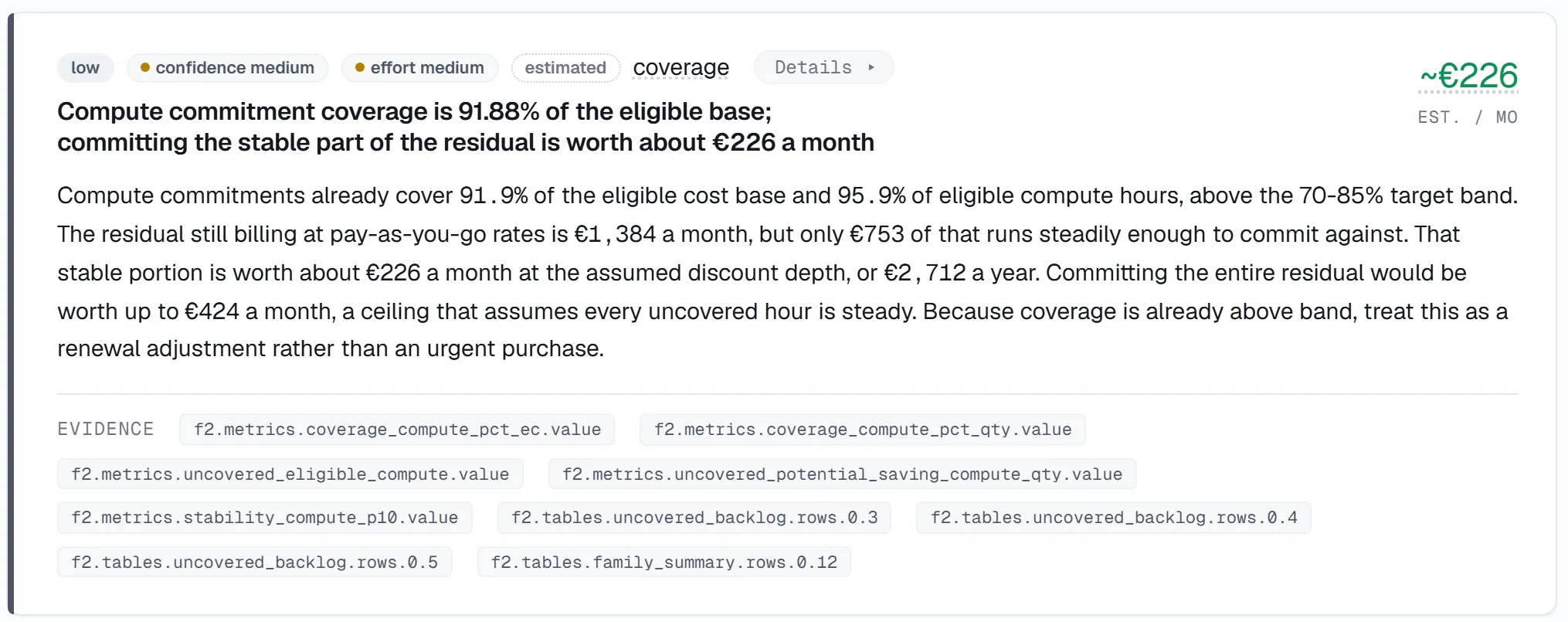
Each finding carries the same six fields.
| Field | What it tells you |
|---|---|
| € impact | The estimated monthly saving, in euros, from your actual billing data and Azure pricing (including Reservation and Savings Plan pricing where relevant). |
| Evidence | The cost lines, the utilisation signal (30-day p95 CPU, idle-days), and the resource configuration that makes the case. An idle-VM finding shows the p95 CPU under 5% and the idle-day count; a rightsizing finding shows its confidence level. Verify every claim against your own dashboards. |
| Owner | The team or person best placed to approve the change. Where tagging is thin, owners are proposed from resource context and confirmed on the 45-minute call. |
| Effort | What implementing the change actually involves, including any application code changes, so you can weigh saving against engineering time. |
| Risk | The blast radius if the change misbehaves, stated plainly. |
| Next action | The concrete step that moves the finding forward: approve it, gather one missing piece of evidence, or park it with a review date. |
When the Pack arrives
Section titled “When the Pack arrives”The Pack arrives 7 days after read-only access. Candidates generate in the first days, and the architect sizes and ranks them. Within the 7 days, engineering sees the findings 2 working days before finance.
How to prioritise
Section titled “How to prioritise”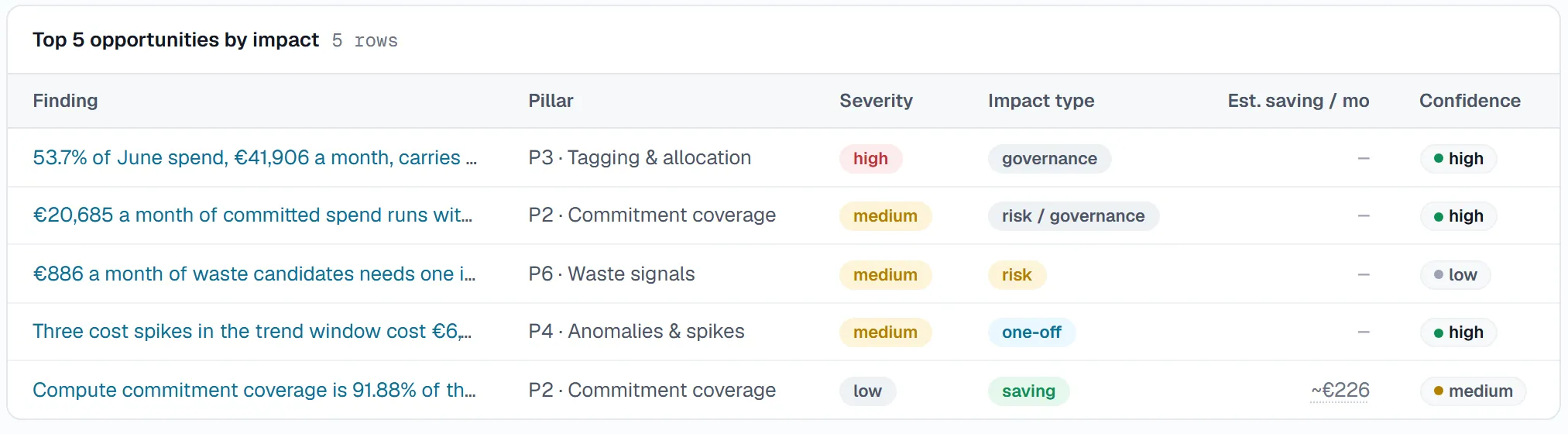
- Sort by € impact first, but read effort and risk before committing. A €40K/year finding needing one config change beats a €60K/year finding needing an application rewrite.
- Confirm owners on the 45-minute call. A finding without an accepted owner stalls regardless of its number.
- Take one or two low-risk, high-confidence findings first. Early verified savings build the trust the larger findings need.
The in-app audit report sequences that order for you as a 90-day plan: reversible actions first, renewal-timed moves last.
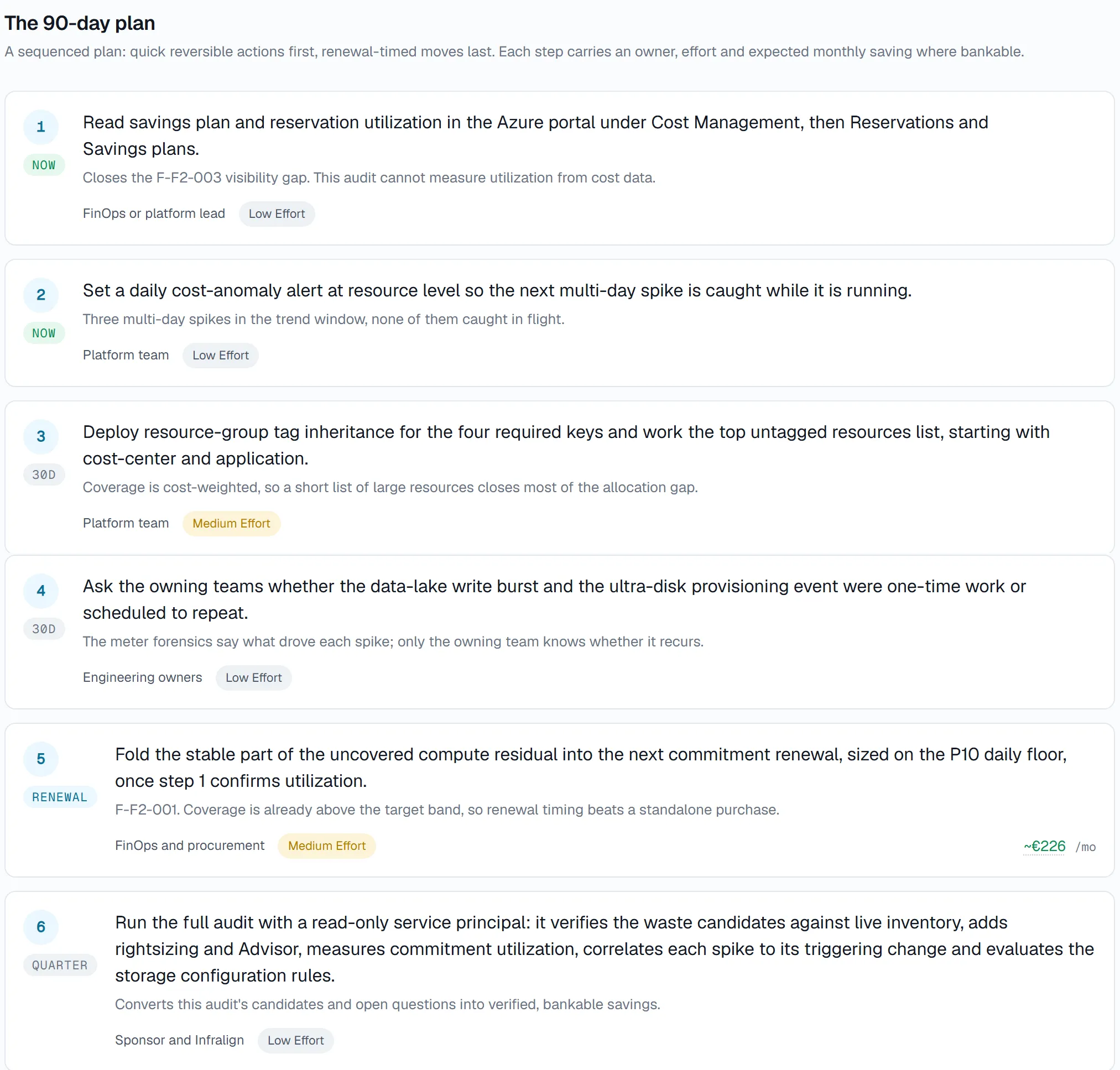
NovaPulse is an illustrative demo estate. The plan above is sized for that estate, not for yours.
Disagreeing with a finding
Section titled “Disagreeing with a finding”Tell us when a finding is wrong. Infralign may not know that a resource is oversized deliberately ahead of a launch, or kept for a contractual reason. Context you add during review sharpens attribution for everything that follows.
From findings to fixes
Section titled “From findings to fixes”Approve or reject each finding in the app. Where the written scope covers it, an approved finding becomes a change plan prepared by the senior Azure architect. Your team or your MSP makes the change through your own pipeline.
Validated fixes follows one approved finding all the way to a verified saving.
© Infralign Smart Solutions Limited · Registered in Ireland · Company no. 815072 · Dublin